Camera FV-5 is a professional camera app for mobile devices that brings DSLR-style manual controls to your fingertips. Designed for photography enthusiasts and professionals, this application lets you take high-quality raw photos that you can process later to achieve impressive results. Your imagination and creativity are the only boundaries!
Major features:
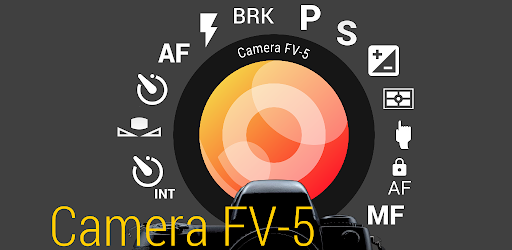
● Adjust every photographic setting whenever needed: exposure compensation, ISO, metering mode, focus mode, white balance and program mode.
● DSLR-style viewfinder: monitor exposure time, aperture and stop values, along with EV and bracketing settings, in real time!
● Complete exposure bracketing: choose from 3 to 7 frames, unlimited stop intervals and personalized EV shifting.
● Integrated intervalometer: create impressive timelapses, including bracketed/HDR timelapses, as well as timed photo sequences.
● Program and Speed-priority modes.
● Long-exposure capability: capture beautiful night scenes and light trails with exposures of up to 30 seconds**.
● JPEG, genuine 16-bit RAW in DNG format*, and lossless PNG capture options, all ideal for post-processing.
● Manual shutter control: from 1/80000 to 2″, or the limits supported by your device*.
● Assign every camera function to the volume buttons. Use them to modify EV, ISO, color temperature and more. Devices featuring a physical camera shutter button are also supported.
● Compatibility with EXIF and XMP sidecar metadata.
● Autofocus, macro, touch-to-focus, genuine manual focus* and infinity focus options. Includes autofocus lock (AF-L).
● Autoexposure (AE-L) and automatic white balance (AWB-L) locks on Android 4.0+.
● Background photo development and RAW processing ensure fluid, uninterrupted camera use.
● Zoom digitally with a multitouch pinch gesture. The equivalent 35mm focal length is displayed as well!
● Highly advanced electronic viewfinder: live RGB histogram, 10 composition-grid overlays and 9 crop guides.
● Robust organization features: select different storage locations and create completely customizable file names, including variable-based names.
● The interface is offered in more than 30 languages.
Rather than relying on scene presets, this camera application provides complete manual control over every photographic setting, much like a reflex camera. As a result, you can manage every element of the image and leave the post-processing work to your computer. Once you have used your DSLR, you will no longer miss photographic opportunities, since you can capture them with a DSLR-like experience as closely as possible.
IMPORTANT: If you encounter a problem while using the application, PLEASE, visit http://www.camerafv5.com/ or contact support@camerafv5.com with your phone model and a description of the issue before posting a negative comment. Customer satisfaction is our top priority, and we will make every effort to resolve problems as quickly as possible!
Stay connected with Camera FV-5 and keep up with the latest news about ongoing and upcoming development. Visit the official website at http://www.camerafv5.com, become a fan at http://www.facebook.com/CameraFV5, follow http://www.twitter.com/CameraFV5 or view tutorials at http://www.youtube.com/user/camerafv5.
* Requires Android 5.0+ and a fully compliant Camera2 implementation. At present, only LG Nexus 5 and Motorola Nexus 6.
** Requires Android 5.0+. Also compatible with the Samsung Galaxy Camera (1 and 2), Galaxy S4 Zoom and HTC One (M8). On Android 4.4 or earlier, long exposures reduce image resolution to 2 or 1 MP, depending on the model. The explanation is available here: http://www.camerafv5.com/faq.php#long-exposure-resolution
Permissions explained:
Whats News of Camera FV-5
The highlights of this release are:- Added specific support for Android 14 and 15.- Now the app does not need or request storage permissions.- Faster image saving and processing.- Other smaller fixes.– Approximate location and precise location: used solely for geotagging (disabled by default and requiring manual GPS activation).
– Modify or delete the contents of your USB storage and take pictures and videos: necessary for standard camera functionality.